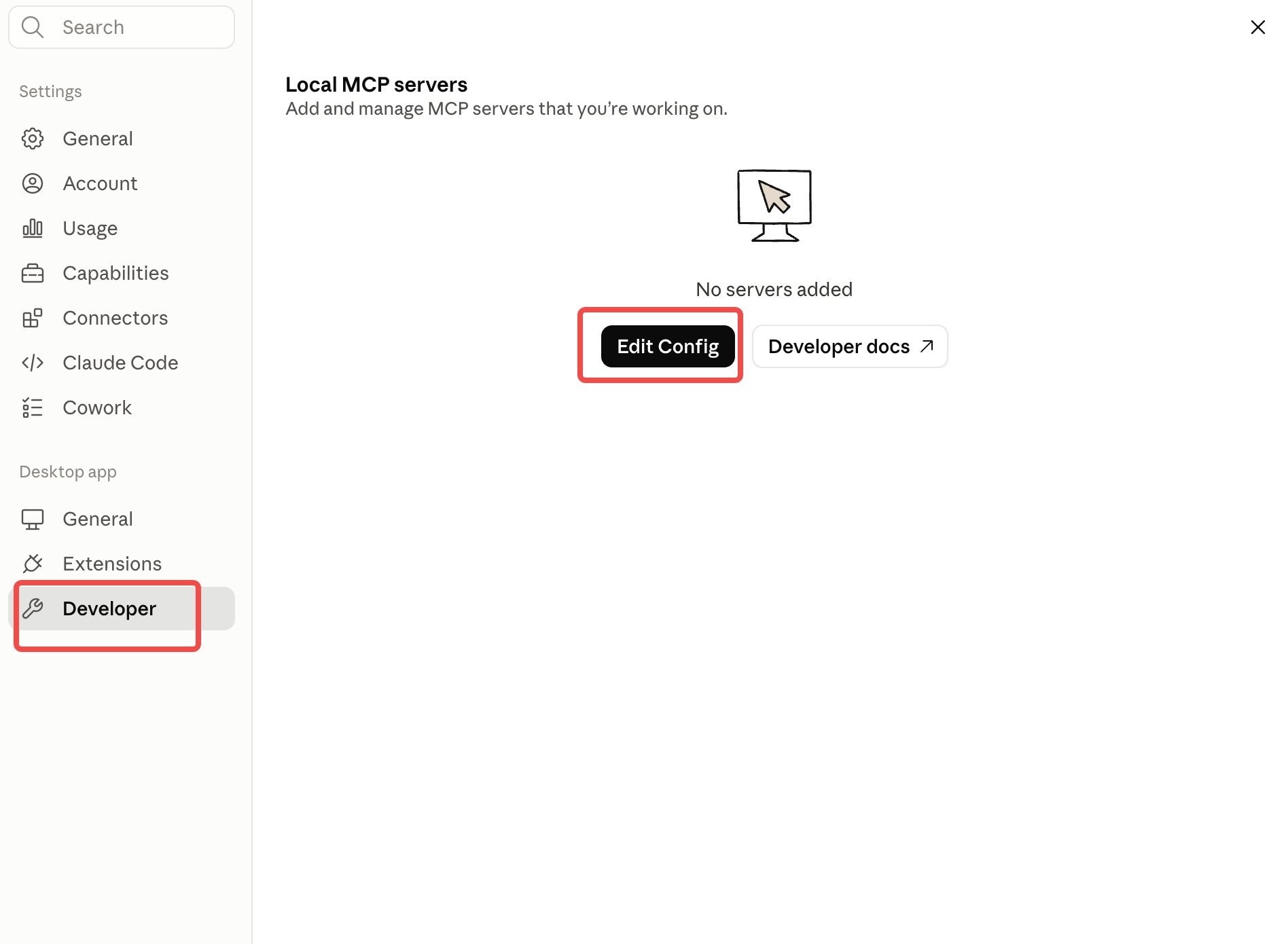
Merge this into the file — don’t replace it. mcpServers may already exist (often empty: "mcpServers": {}), and the file may hold other settings. Keep them all — just put the octen block inside the existing mcpServers.
3
Restart Claude Desktop
Save the file, then fully quit and reopen Claude Desktop.
4
Confirm it's connected
Check either place:
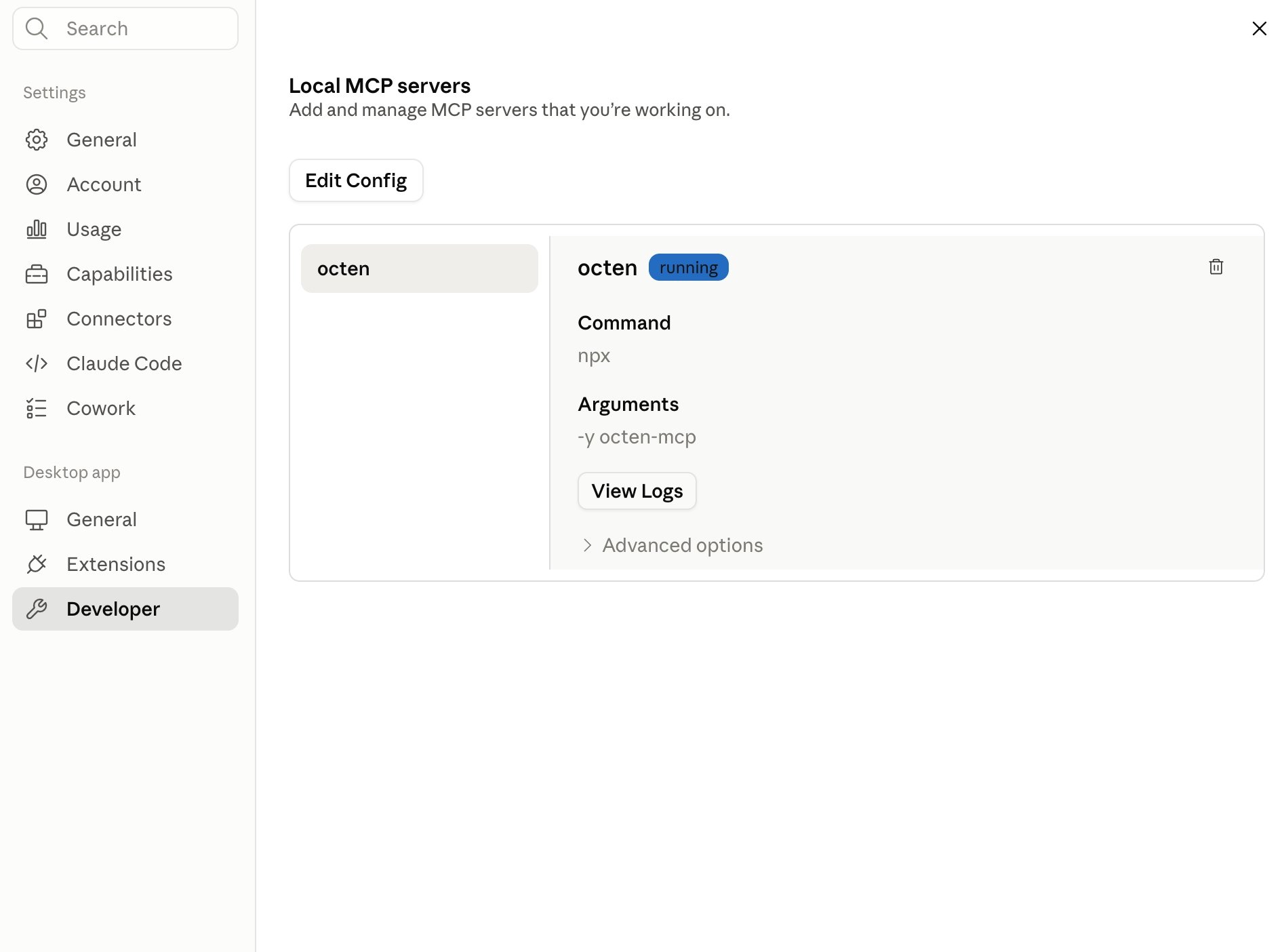
Settings → Developer → Local MCP servers — octen shows a running badge.
In a chat, click the + button → Connectors and make sure octen is toggled on.
Settings → Developer → Local MCP servers — octen running
Code execution enabled in Settings → Capabilities (available on Free, Pro, and Max; in an organization, an admin enables it in org settings).
1
Enable code execution and allow Octen's domain
Open Settings → Capabilities and turn on Code execution and file creation, then turn on Allow network egress.Network egress defaults to package managers only, so the calls to Octen stay blocked until you allow its domain — add *.octen.ai to the allowed domains.
Who can add the domain depends on your plan. On Pro / Max you add it yourself. On Team / Enterprise an admin adds it in Organization settings → Capabilities. Free plans can’t add custom domains — use MCP instead.
2
Add the skill
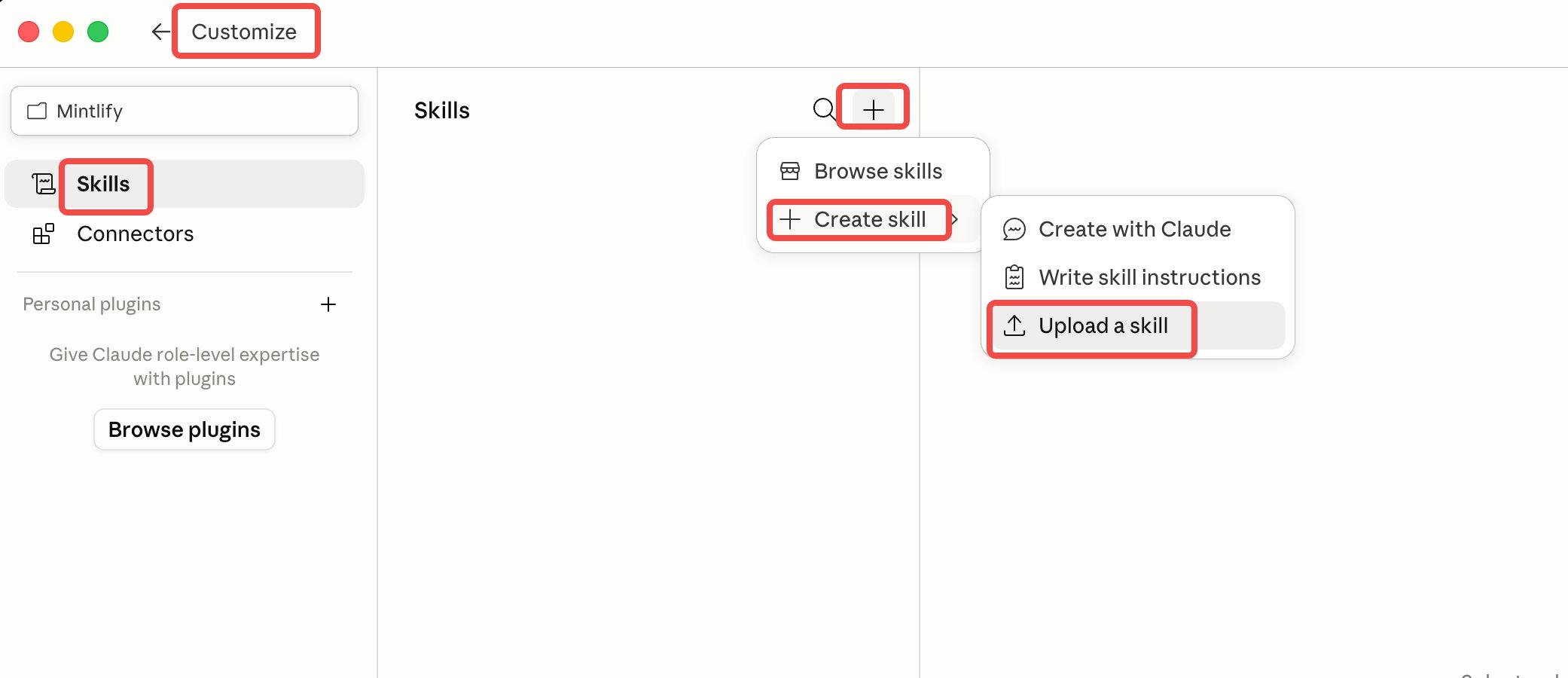
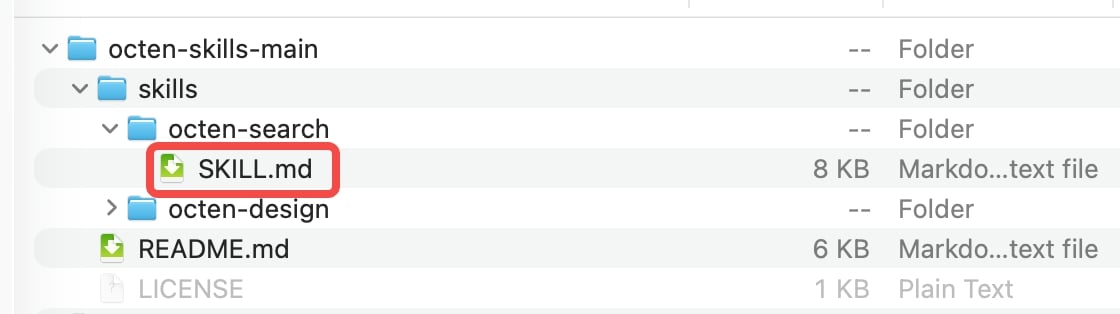
Download octen-search.zip from the octen-skills repo and unzip it. Open Customize → Skills, click the + at the top of the list, then choose Create skill → Upload a skill and select skills/octen-search/SKILL.md.
Customize → Skills → Create skill → Upload a skill
Selecting skills/octen-search/SKILL.md
3
Turn on the skill in a chat
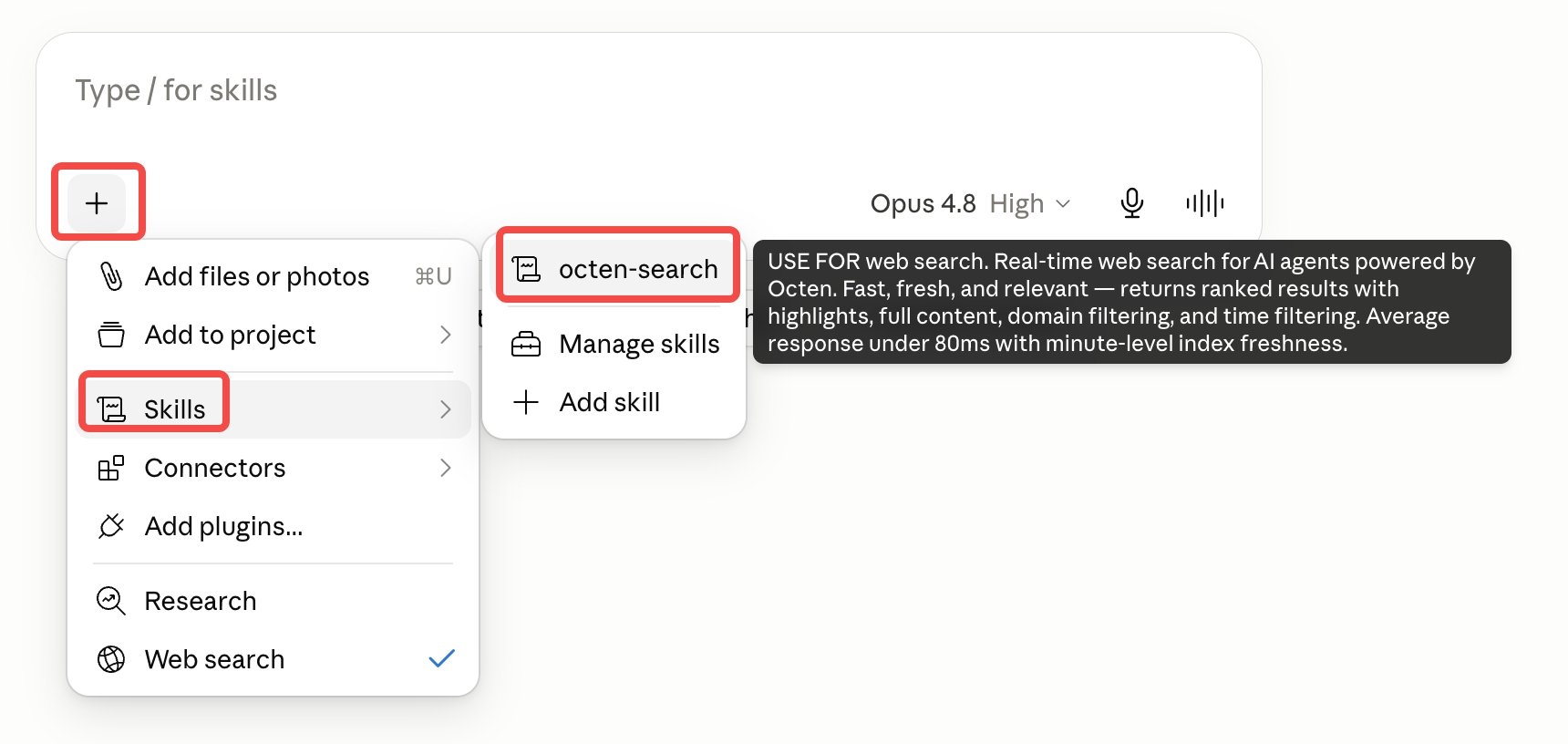
In a new chat, click the +, choose Skills, and select octen-search to turn it on for the conversation.
Chat + menu → Skills → octen-search
4
Set your API key (first run)
This skill reads your key from OCTEN_API_KEY — add it as an environment variable, or provide your Octen API key when the skill asks for one.